Hardware
IGEL 350c - SATA / NVME
Einbau einer Festplatte
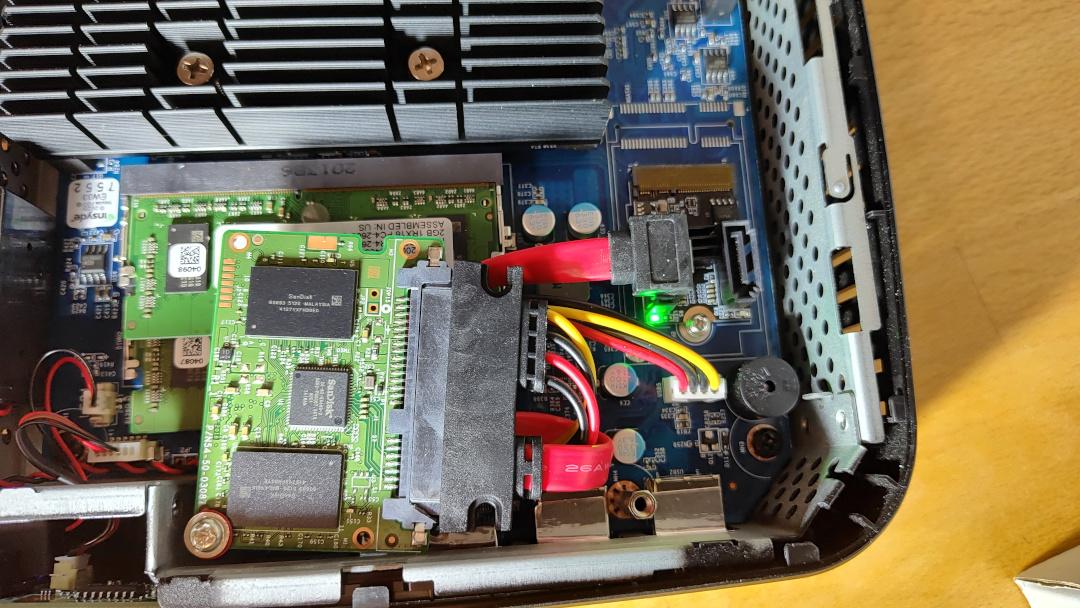
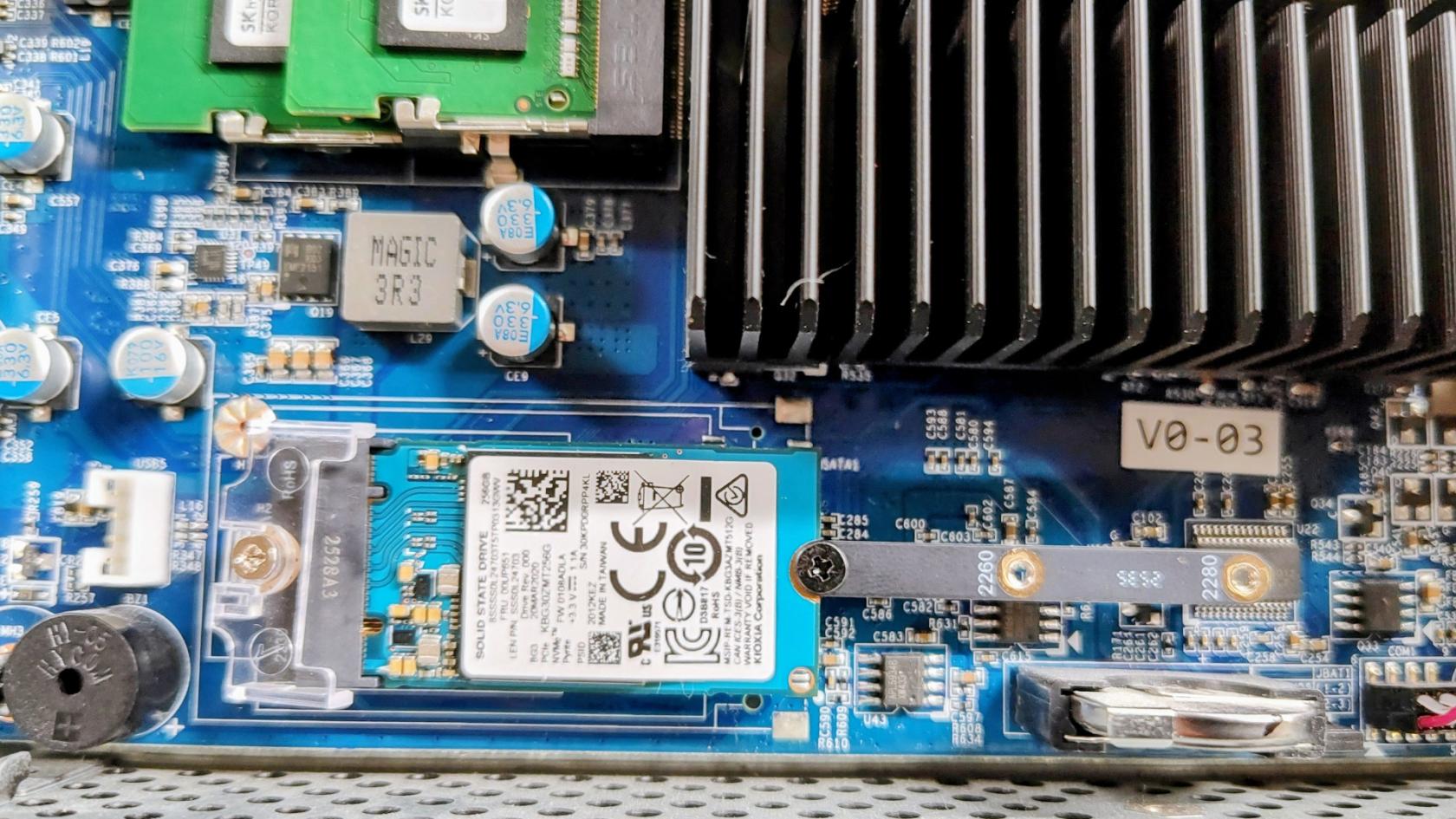
Man kann das WLAN-/BT - Modu ausbauen und mit entsprechenden Adapterkarten den Mini-PCIE-Slot zum Anschluss einer Festplatte verwenden. So lässt sich entweder eine NVME oder SATA Festplatte verbauen. Beim Einbau einer SATA-Festplatte wird, um Platz zu sparen, das nackte Modul verbaut und an einen der freien Pfosten angeschraubt, die für den Kartenleser gedacht sind, der in unseren Geräten allerdings nicht eingebaut ist.
Teile für SATA:
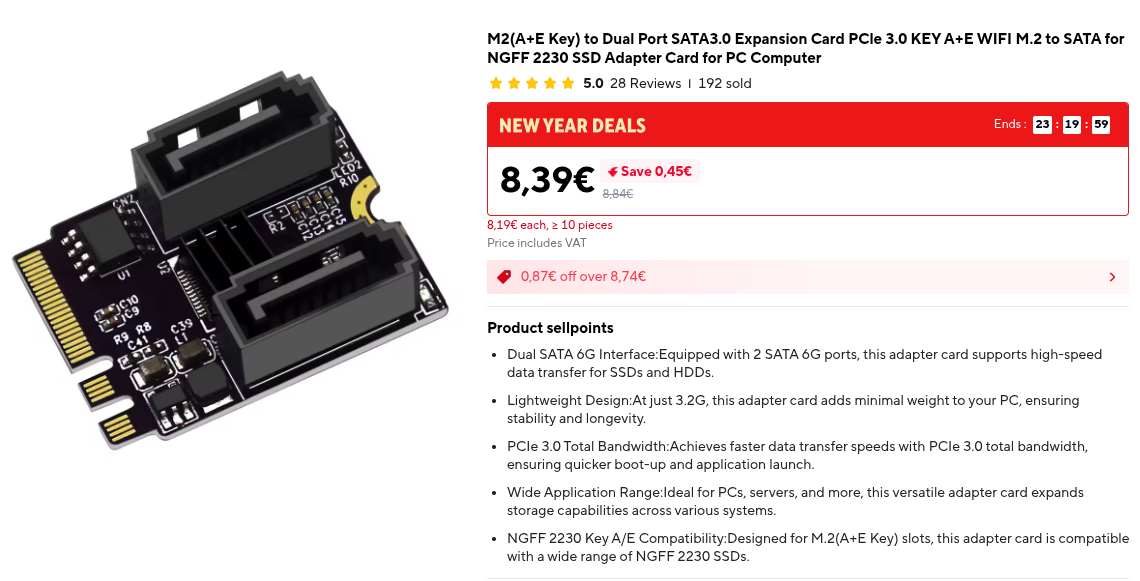
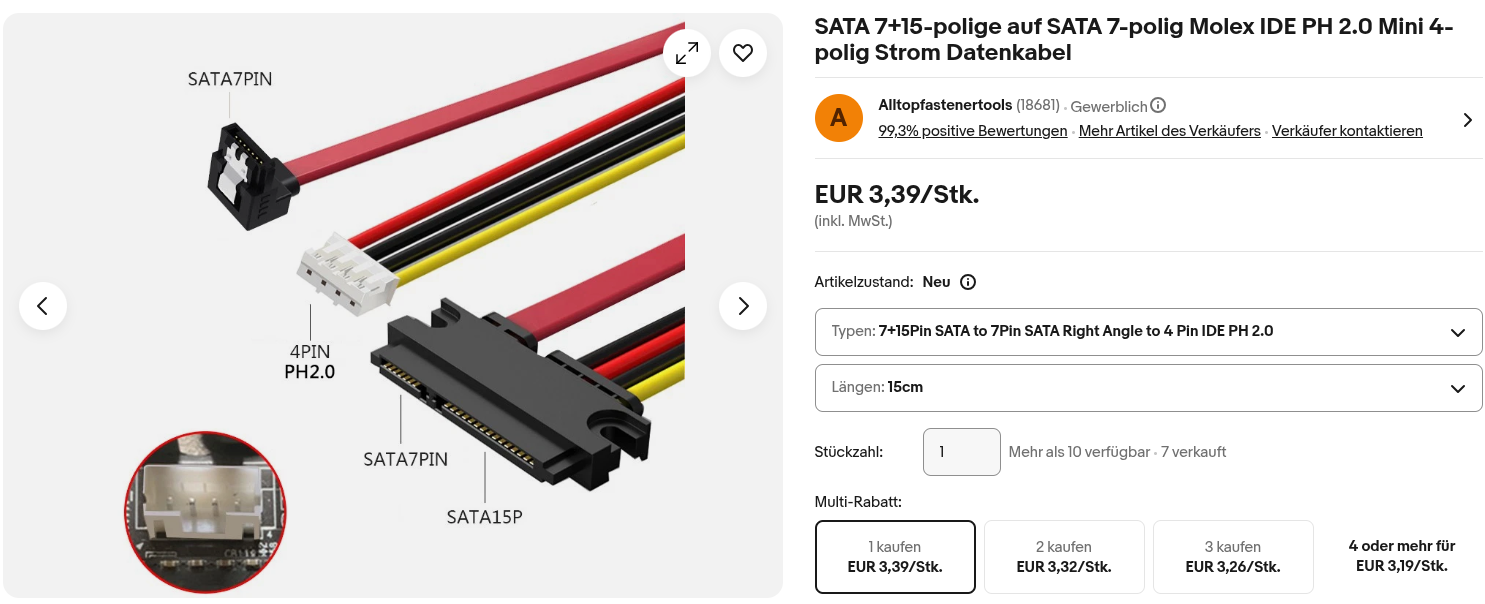
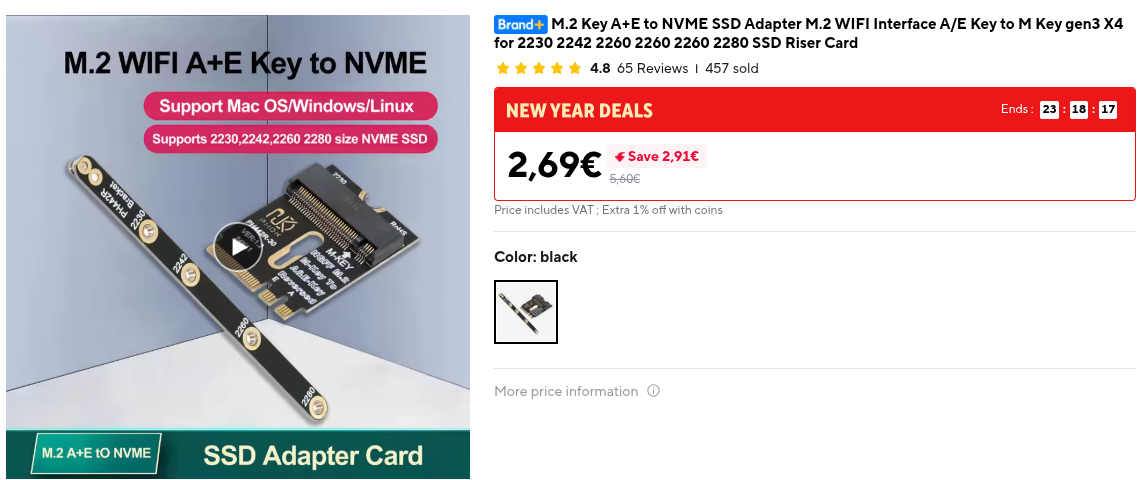
Teile für NVME:
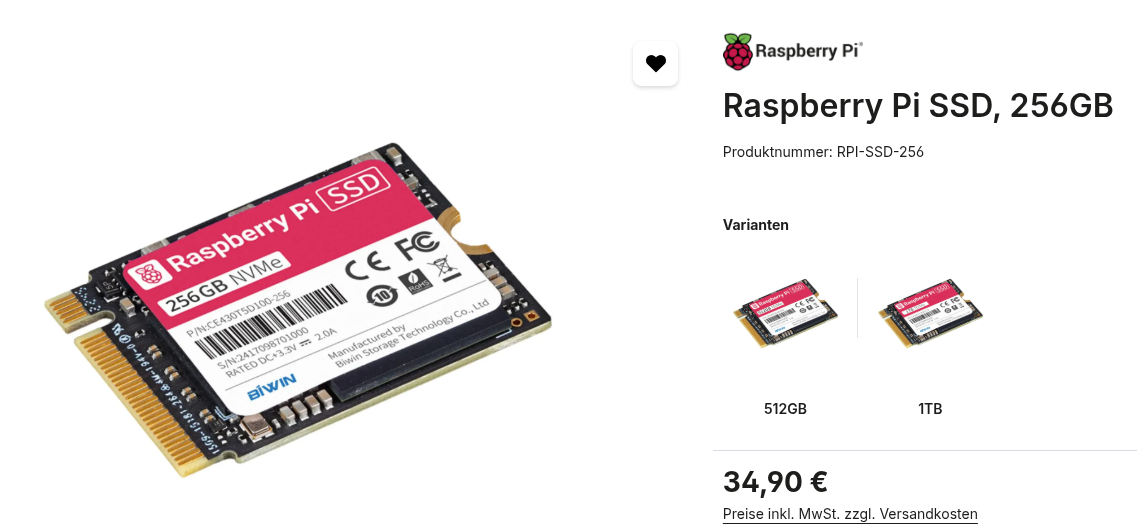
Formfaktor 2230, 2240
Geschwindigkeitstest SATA 3.0:
/dev/sda:
Timing O_DIRECT cached reads: 958 MB in 2.00 seconds = 478.59 MB/sec
Timing O_DIRECT disk reads: 1504 MB in 3.00 seconds = 500.72 MB/sec
Test Schreibgeschwindigkeit 1000 Blöcke a 1MB
1024+0 Datensätze ein
1024+0 Datensätze aus
1073741824 Byte (1,1 GB, 1,0 GiB) kopiert, 2,67673 s, 401 MB/s
2.Test Lesegeschwindigkeit 1000 Blöcke a 1MB
1024+0 Datensätze ein
1024+0 Datensätze aus
1073741824 Byte (1,1 GB, 1,0 GiB) kopiert, 1,95155 s, 550 MB/s
Geschwindigkeitstest NVME:
Test Schreibgeschwindigkeit 1000 Blöcke a 1MB
1024+0 records in
1024+0 records out
1073741824 bytes (1.1 GB, 1.0 GiB) copied, 1.49458 s, 718 MB/s
2.Test Lesegeschwindigkeit 1000 Blöcke a 1MB
1024+0 records in
1024+0 records out
1073741824 bytes (1.1 GB, 1.0 GiB) copied, 1.32354 s, 811 MB/s
Alternativ:
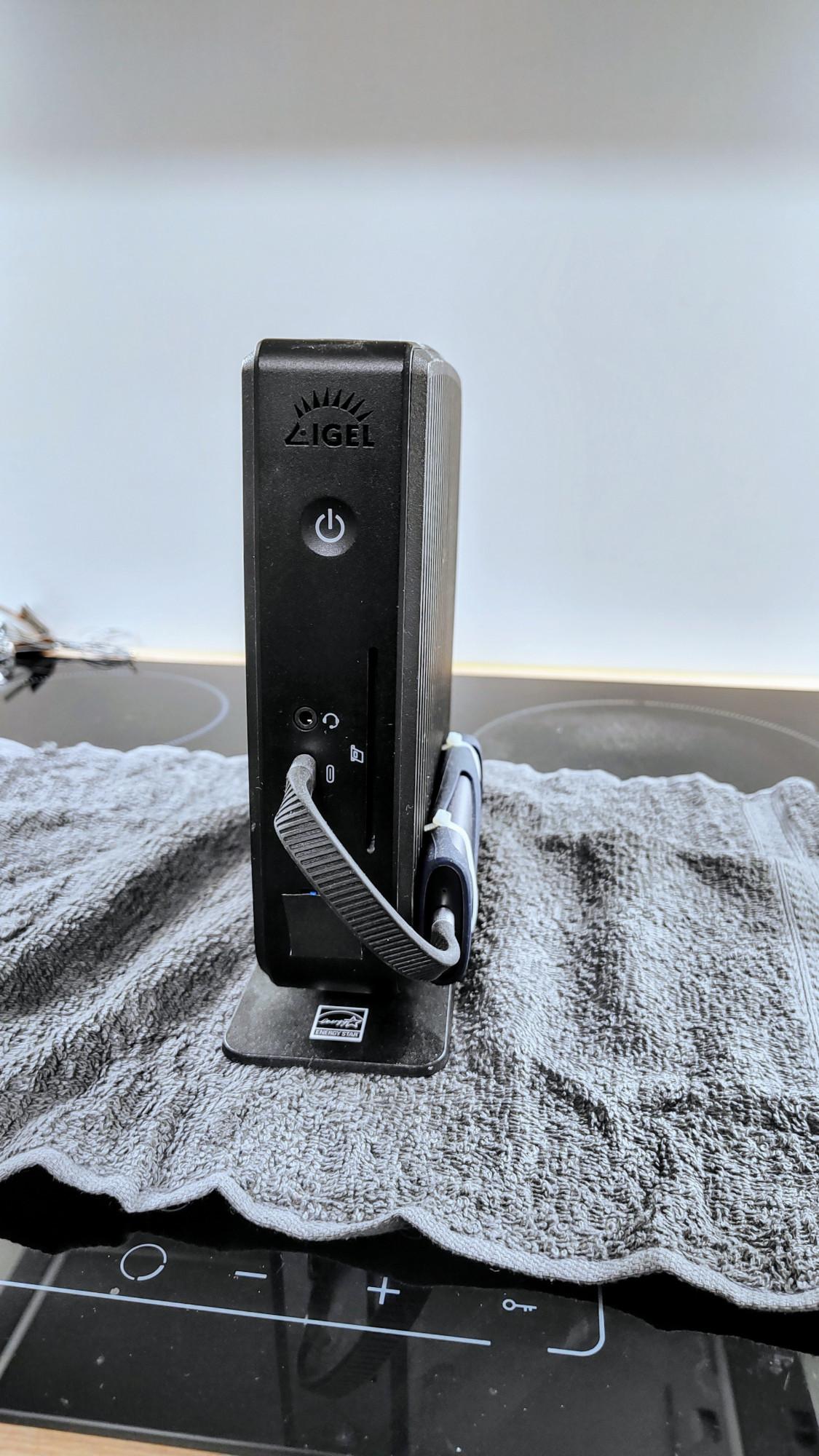
IGEL UD3 M350C: Technische Spezifikation
Im folgenden Artikel finden Sie technische Details zum IGEL UD3-Modell M350C, seinen typischen Energieverbrauch, die Betriebsbedingungen und die Montagemöglichkeiten.
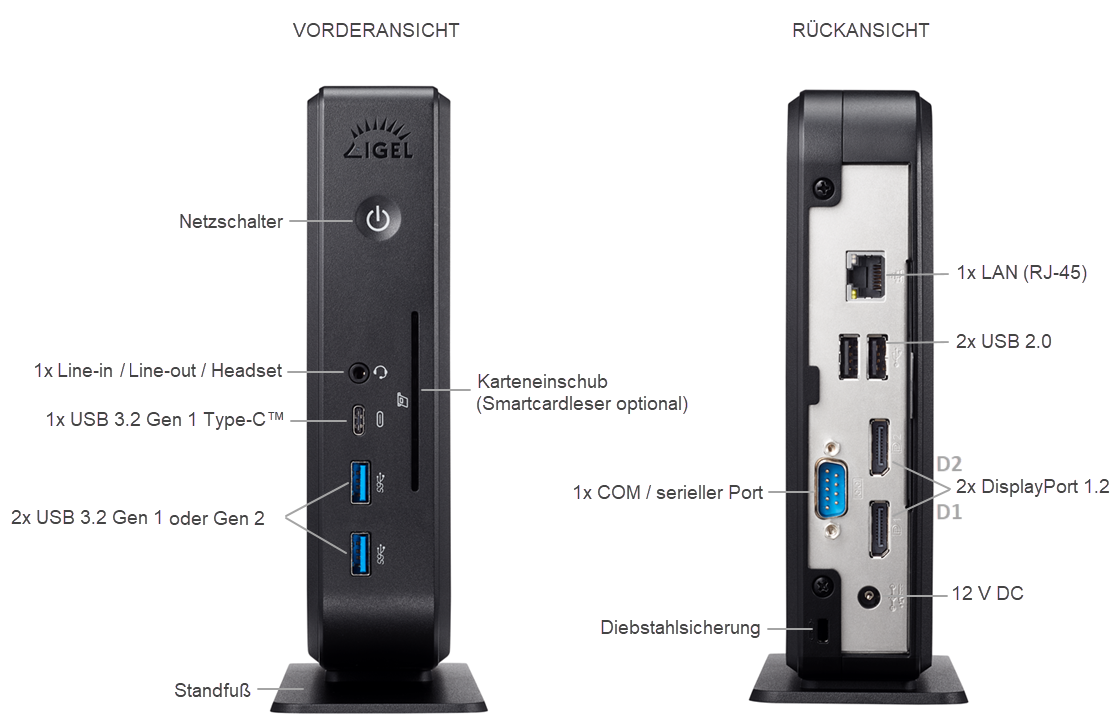
IGEL UD3 M350C Anschlüsse
Teileliste
- Endgerät
- Standfuß
- Netzteil mit integriertem DC-Kabel
- AC-Netzkabel
VORSICHT! Beachten Sie den folgenden Hinweis zur Stromversorgung:
- Schließen Sie alle Zubehörteile an, z. B. Maus, Tastatur, Bildschirm (nicht im Lieferumfang enthalten) und Ethernet.
- Schließen Sie das Netzkabel an die Buchse des Netzteils an.
- Verbinden Sie das DC-Kabel mit der DC-Buchse auf der Rückseite des Gerätes.
- Verbinden Sie das andere Ende des Netzkabels mit einer geeigneten Netzsteckdose.
- Schalten Sie das Gerät mit dem Tastsensor auf der Vorderseite ein.
IGEL UD3 M350C Technische Spezifikation
System
| Erhältliche Betriebssysteme | IGEL OS 11 |
| Management | IGEL Workspace Edition, Lizenzaktivierung nötig |
| Prozessor |
AMD Ryzen™ Embedded R1505G Dual-Core mit aktiviertem AMD Secure Prozessor und AMD Memory Guard |
Speicher
| RAM | 4 GB (2x 2GB SO-DIMM DDR4 2400 MHz) 2x32GB maximal |
|
Speicher |
8 GB (onboard eMMC) (verlötet) |
Grafik
| Chipsatz | AMD Radeon™ Vega 3 Graphics |
| Videospeicher | 512 MB Shared Memory |
| Anschlüsse |
2x DisplayPort 1.2 Multistream-Unterstützung: optional mit dem DP-MST-Adapter |
| Unterstützte Auflösungen |
2x 4K @60 Hz Unterstützt beschleunigte Videodekodierung für Auflösungen bis zu 2x 4K |
| Unterstützter Videokompressionsstandard |
H.264 |
Netzwerk
| Ethernet | 10/100/1000 Ethernet (RJ-45-Steckverbinder) |
| Drahtlos (n. a. -Steckplatz wird für Nvme genutzt) |
optional: |
Audio
| Chipsatz | Realtek ALC897 oder ALC888S HD Audio |
| Anschlüsse | 1x 3,5-mm-TRRS-Audiobuchse (CTIA-Standard) (Line-in / Line-out / Headset) |
| Lautsprecher |
1x intern |
Schnittstellen
| USB 3.2 Gen 1 oder Gen 2 (SuperSpeed USB) |
2x vorne |
| USB 3.2 Gen 1 Typ-C™ |
1x vorne Aufladen bis zu max. 7,5 W. Andere Alt-Modi (Alternate Modes) werden nicht unterstützt. |
| USB 2.0 |
2x hinten |
| DisplayPort 1.2 | 2x hinten |
| LAN | 1x hinten |
| Line-in / Line-out / Headset | 1x vorne |
| 12 V DC | 1x hinten |
| Diebstahlsicherung | 1x hinten |
| Smartcardleser | optional: 1x vorne (integrierter HID Omnikey 3121) |
| Seriell |
1x hinten (Chipsatz Prolific PL2303; inkl. 5 V-Spannungsversorgung) Hinweis: Die Reihenfolge der COM-Anschlüsse kann sich ändern, wenn ein USB-zu-Seriell-Adapter an UD3 M350C angeschlossen ist. |
Maße und Gewicht
| Gerät (TxBxH), stehend |
196 x 68 x 198 mm (mit Standfuß) |
| Gerätegewicht |
1,08 kg (mit Standfuß) |
| Verpackung (TxBxH), liegend |
225 x 275 x 95 mm |
| Verpackungsgewicht | 0,31 kg |
Betriebsumgebung
Beachten Sie unbedingt die Sicherheitshinweise und die Umgebungsbedingungen!
| Kühlung | lüfterlos |
| Betriebstemperatur |
vertikal (ohne VESA-Halterung): vertikal (mit VESA-Halterung): horizontal (nur mit optional erhältlichen Gummifüßen): |
| Luftfeuchtigkeit | 20 % – 80 %, nicht kondensierend |
Elektrische Daten
| Stromversorgung | extern |
| AC-Eingangsspannung | automatische Spannungsanpassung 100 – 240 V / 50 – 60 Hz |
| DC-Ausgangsspannung |
externes Netzteil 12 V / 4 A (48W) |
| Stromverbrauch |
5,45 W (idle) / 0,59 W (sleep) / < 0,48 W (aus) 5,32 W (idle) / 0,55 W (sleep) / < 0,48 W (aus) |
Typischer Energieverbrauch
(ENERGY STAR, 8.0)
| ETEC |
26,70 kWh (pro Jahr, @230 V) |
| ETEC, max | 33,0 kWh (pro Jahr, @230 / 115 V) |
Montagemöglichkeiten
| VESA-Halterung |
für Montage des Gerätes an der Monitorrückseite Wenn Sie zusätzlich eine Lösung für die Kabelmontage benötigen, siehe Mini-PC Cable-Caddy.* |
| Gummifüße | für horizontalen Betrieb |
Optional
| Integrierter Smartcardleser | für sichere Smartcard-basierte Authentifizierung |
| VESA-Halterung | für Montage an der Monitorrückseite |
| Gummifüße | für horizontalen Betrieb |
| USB-zu-Parallel-Adapter | zum Anschluss von Peripheriegeräten, die einen parallelen Port benötigen |
| USB-zu-Seriell-Adapter | zum Anschluss von Peripheriegeräten, die einen seriellen Port benötigen |
| Integriertes WLAN / Bluetooth | für drahtlose Konnektivität |
Umbauoptionen
Igel M340C
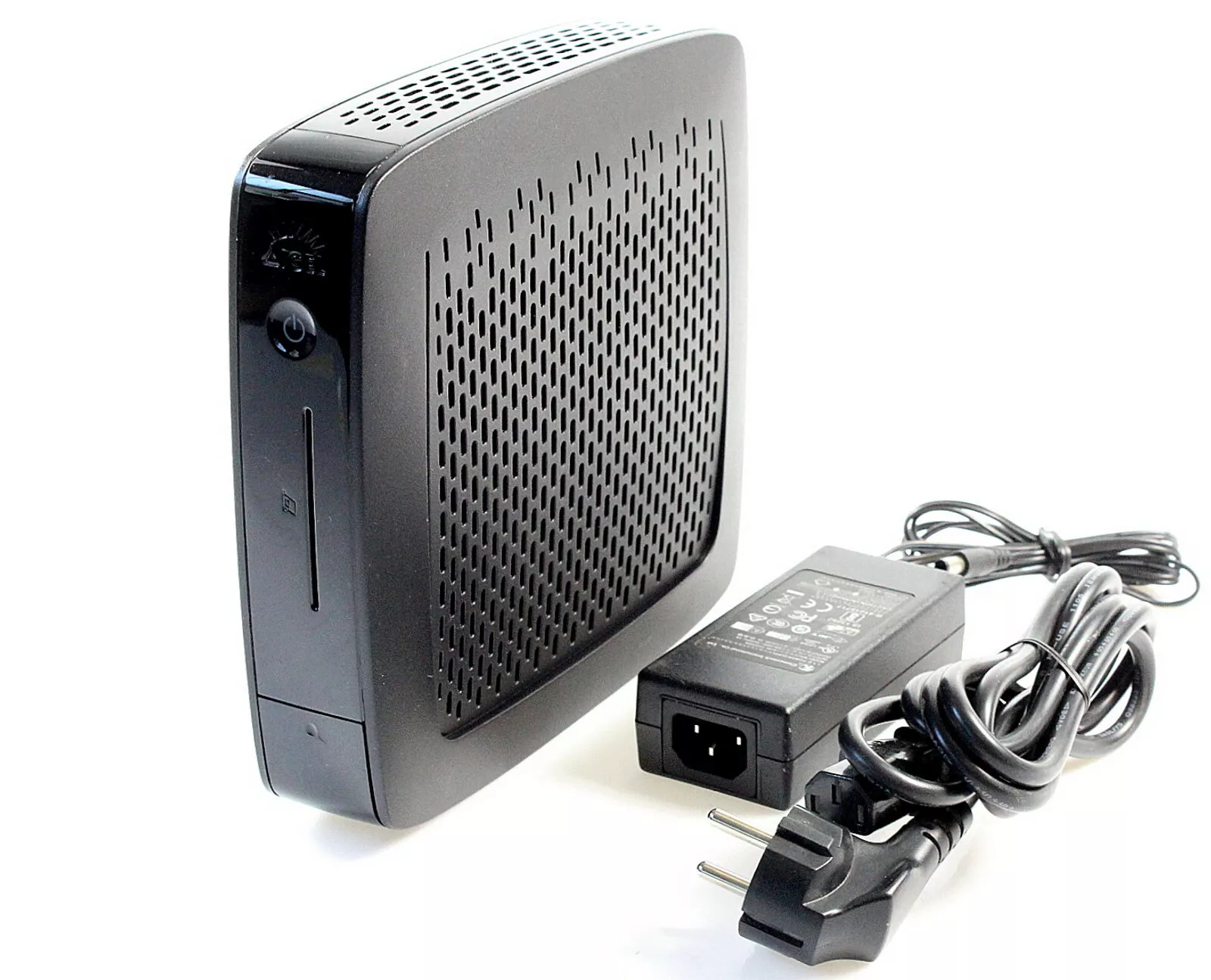
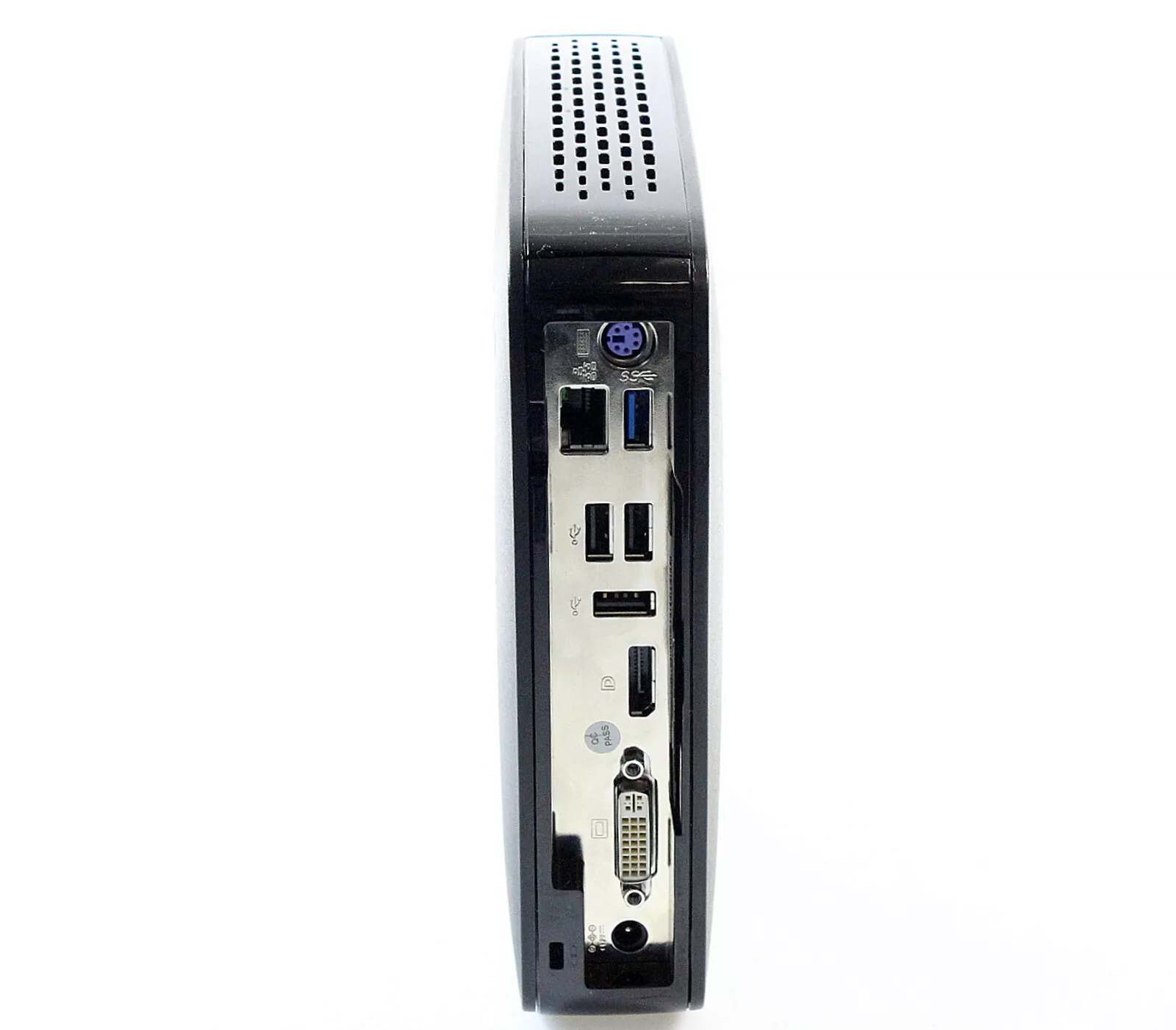
My M340C came without a foot.
The M340C was part of Igel's UD3 line of thin clients.
For some unknown reason finding the launch date took some doing. I eventually found a blogger's column (dated 15th February 2016) that mentioned the imminent launch of what I believe to be the M340C. This ties in with a mention I found of the Igel Version of Windows 7 that was available on the M340C at launch. That software was released on 1st February 2016.
The UD3-LX 51 reached 'End-of Sales' in January 2021 and 'End of Maintenance' is due in January 2024.
Models
Shortly after I added the M340C to the site I heard from Bob who drew my attention to the fact that there were M340Cs around that were fitted with the less powerful AMD GX-412. I (well, Google if I'm honest) couldn't find any datasheet that tied the M340C and the GX412 SOC together. Any M340C specific datasheet I found only mentioned the GX-424CC.
Switching to searching on UD3 improved matters. I found a UD3 datasheet that had been created in October 2016. The picture of the thin client matches my M340C, the CPU is given as AMD Steppe Eagle GX-412HC 1,2 - 1,6 GHz (Quad-Core), but there is no mention of the hardware model number. By January 2019 the UD3 datasheet gives the CPU as AMD GX-424CC 2.4 GHz (Quad-Core).
Further searching found me an 'Igel Roadmap' which mentions the switch to the AMD GX-424 with availability from the end of February 2018.
The pull-out tab on Bob's M340C and my M340C match in that in each case the model name is given as IGEL-M340C. From a photo that Bob sent me it looks the motherboard and internal layout are identical.
From this we can see that, at launch, the M340C was fitted with an AMD GX-412HC (1.2GHz-1.6GHz, with Radeon R3E graphics). In early 2018 Igel upgraded the SOC in the M340C to an AMD GX-424CC (2.4GHz, Radeon R5E graphics) without any change to the model name.

How you determine exactly what you're getting I'm not too sure as there is just one obscure visual clue to help you. I found on close inspection of my M340C that it does have the words GX-424CC-QC on the reverse of the pull-out tab with the model number. (This is along with stuff like the serial number et al). Obviously a check of the information in the BIOS makes it clear but eBay vendors often provide few (or stock) photos and just cut-and-paste information they find on the Internet into their adverts. In fact, checking back, I see the M340C I bought was actually inaccurately advertised as having a 1.2GHz CPU.
What follows below are the details of my later model M340C. As to the earlier model two obvious differences are:
- CPU/Graphics are AMD GX-412HC and Radeon R3E.
- BIOS is a more conventional InsydeH20.
Specifications
The basic specs are:
Processor Type
SpeedAMD GX-424CC (Quad-Core)
2.4GHzChipset Type Built-in Memory Flash
RAM2GB(LX) 32GB(W10)
4GB(LX) 4GB(W10) max. 1x 8GBVideo Chip
Max resolutionRadeon R5E
1920 x 1200 (DVI), 3840 x 2160 (Display Port)Ports Video
Network
USB
Serial
Parallel
PS/21 x DVI-I 1 x Display Port 1.2
10/100/1000
3 x USB2.0, 1 x USB 3.0 back
1 x USB 3.0 front
none
none
KybdPower Supply
Plug
Off
Running
Idle12V 3A (label)
Coax 5.5mm/2.1mm
1W
10W
6WDimensions W x H x D 6.9cm x 21.0cm x 20.7cm
There is an optional replacement 'foot' that includes 2 x serial ports.
The M340C is available in various guises and could be running Linux or Windows 10.
CPU
The GX-424CC is a quad core CPU clocked at 2.4GHz. For those to whom it matters here is some detail from Linux's /proc/cpuinfo
vendor_id : AuthenticAMD cpu family : 22 model : 48 model name : AMD GX-424CC SOC with Radeon(TM) R5E Graphics stepping : 1 flags : fpu vme de pse tsc msr pae mce cx8 apic sep mtrr pge mca cmov pat pse36 clflush mmx fxsr sse sse2 ht syscall nx mmxext fxsr_opt pdpe1gb rdtscp lm constant_tsc rep_good acc_power nonstop_tsc cpuid extd_apicid aperfmperf pni pclmulqdq monitor ssse3 cx16 sse4_1 sse4_2 movbe popcnt aes xsave avx f16c lahf_lm cmp_legacy svm extapic cr8_legacy abm sse4a misalignsse 3dnowprefetch osvw ibs skinit wdt topoext perfctr_nb bpext ptsc perfctr_llc hw_pstate ssbd vmmcall bmi1 xsaveopt arat npt lbrv svm_lock nrip_save tsc_scale flushbyasid decodeassists pausefilter pfthreshold overflow_recov
PCI
Power Supply
The IGEL M340C uses an external 12V supply with a conventional 5.5mm/2.1mm coaxial connector. The M340C data sheet gives it power consumption as 4.7W when idle and 0.42W in sleep mode.
Expansion
There is not much space inside the M340C for adding extras, but both the Flash memory and the RAM are easily replaceable.
Flash: The flash memory is a Transcend 4GB SATA DOM plugged into a socket - top left in the photograph. When fitted the edge of it is in contact with a square rubber pillar which I assume is there to help keep it in place. The SSD measures 34mm from the edge of the socket it plugs into to its edge against the rubber pillar. You've got about another 12mm before whatever SSD you are wanting to use hits the mounting screw of the heatsink. Also, if you're fitting a longer replacement that the standard SSD, you'll need to slightly reduce the height of the rubber pillar.
The board is tracked for a mSATA socket below the SATA DOM. As usual it looks like the capacitors in the data lines are missing should you wish to try your soldering skills and put this into service.
In November 2021 I heard from Erik who had the earlier model of the M340C. His example had the mSATA socket fitted. I don't know if this is the case with all early models.
RAM:There is a single DDR3L SODIMM socket for the RAM. The 2GB Transcend SODIMM supplied with my unit is labelled: TSIT3DDR3L-02G. I successfully tried an 8GB part from Crucial: CT102464BF160B.C.16FER.
There is a JBAT1 jumper close to the backup battery for clearing the CMOS.
The short RED lead (bottom left in the board photo) is the connector to the front panel USB 3.0 socket. (Although it looks to be a SATA data lead it's just being used as a convenient board connector).
Also on the board there is an unpopulated 2 x 5 socket (J3) whose purposes are unknown (at least to me).
Configured Voltage: 1.5 V